
The answers you need from your repositories.
Your docs stay in each repository as Markdown. DocMyRepos gathers them from your GitHub organization into one portal with one search. Host it yourself or let us do it.
Hosted DocMyRepos opens soon.
Find
Search, Ctrl/Cmd+K and Ask the docs across every repository.
You should not have to know which repository holds the answer. There are three ways to look, and they all use the same index.
Search every repository at once
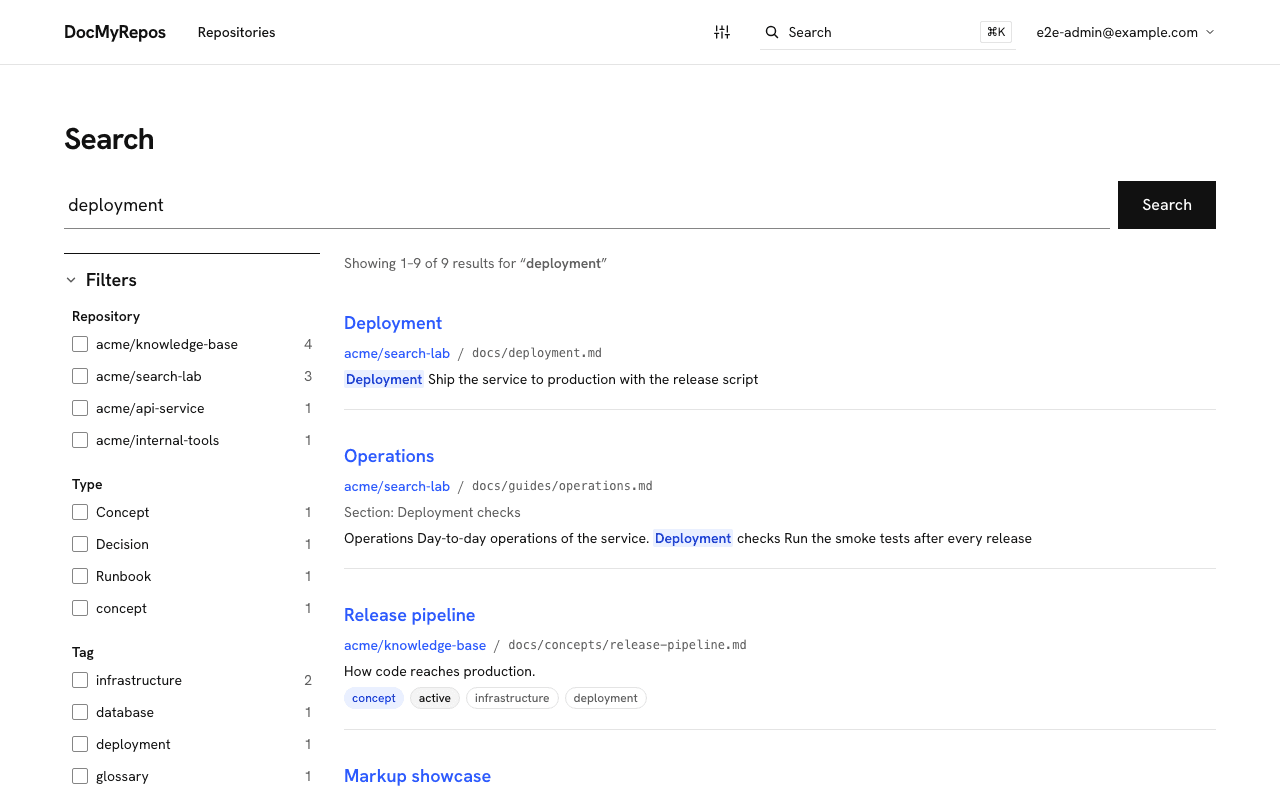
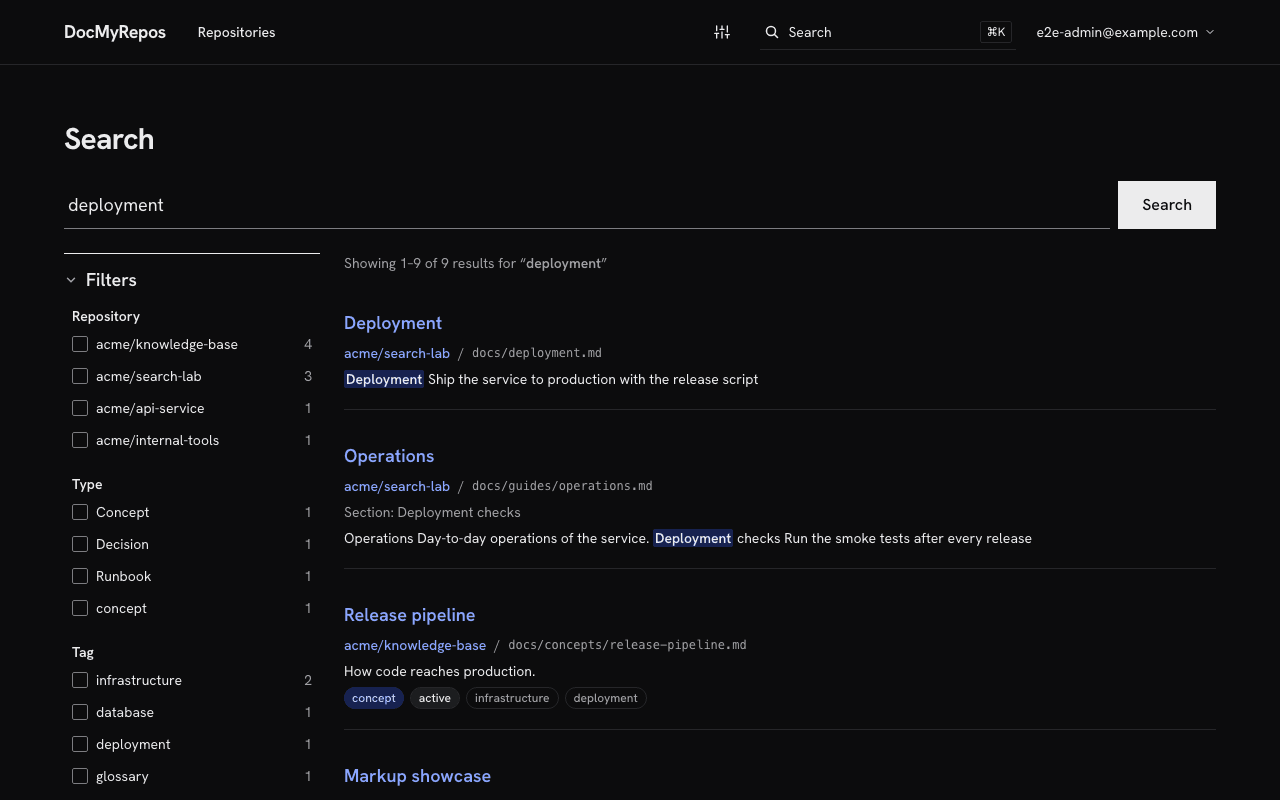
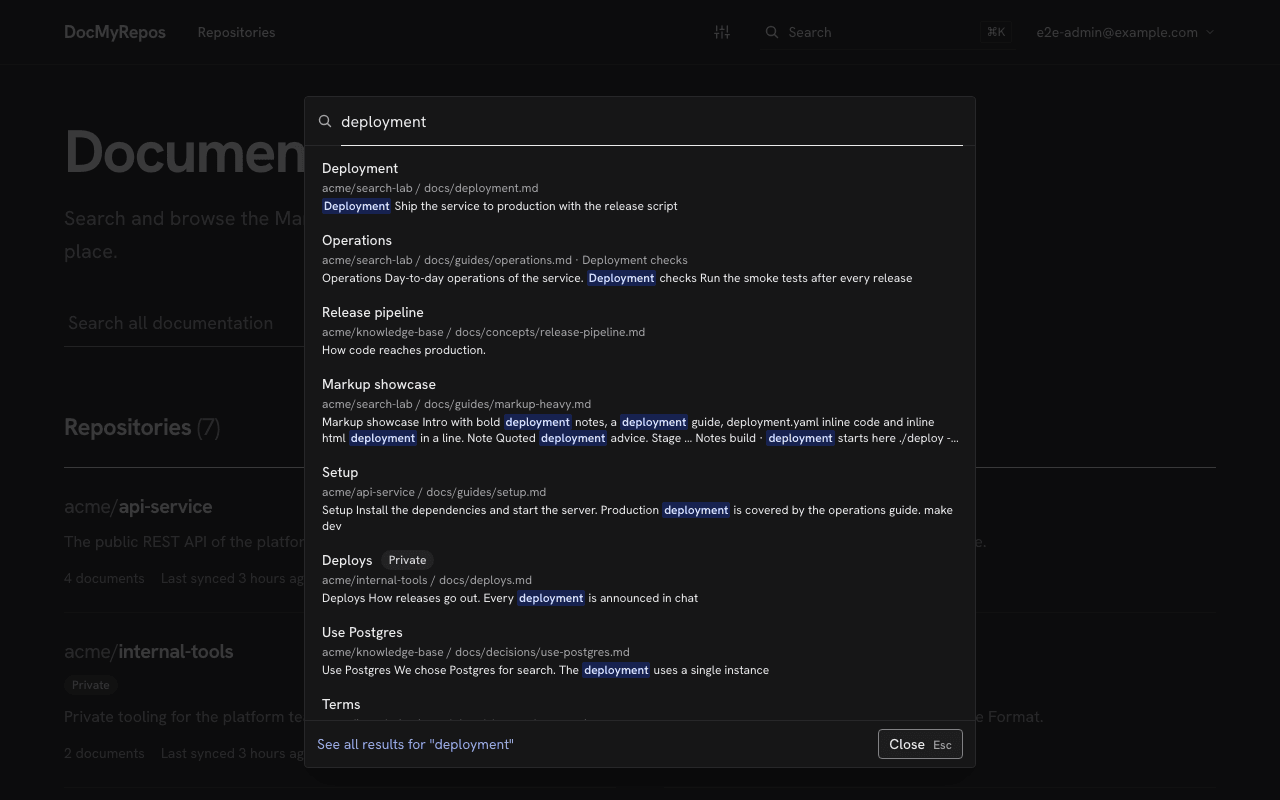
One full-text search covers every synced repository. Results are ranked by title, headings, description and body, with highlighted snippets and filters for repository, type and tag.
Search across every synced repository, with highlighted snippets and filters. Ctrl/Cmd+K from anywhere
Press Ctrl/Cmd+K on any page to open the command palette and jump straight to a document.
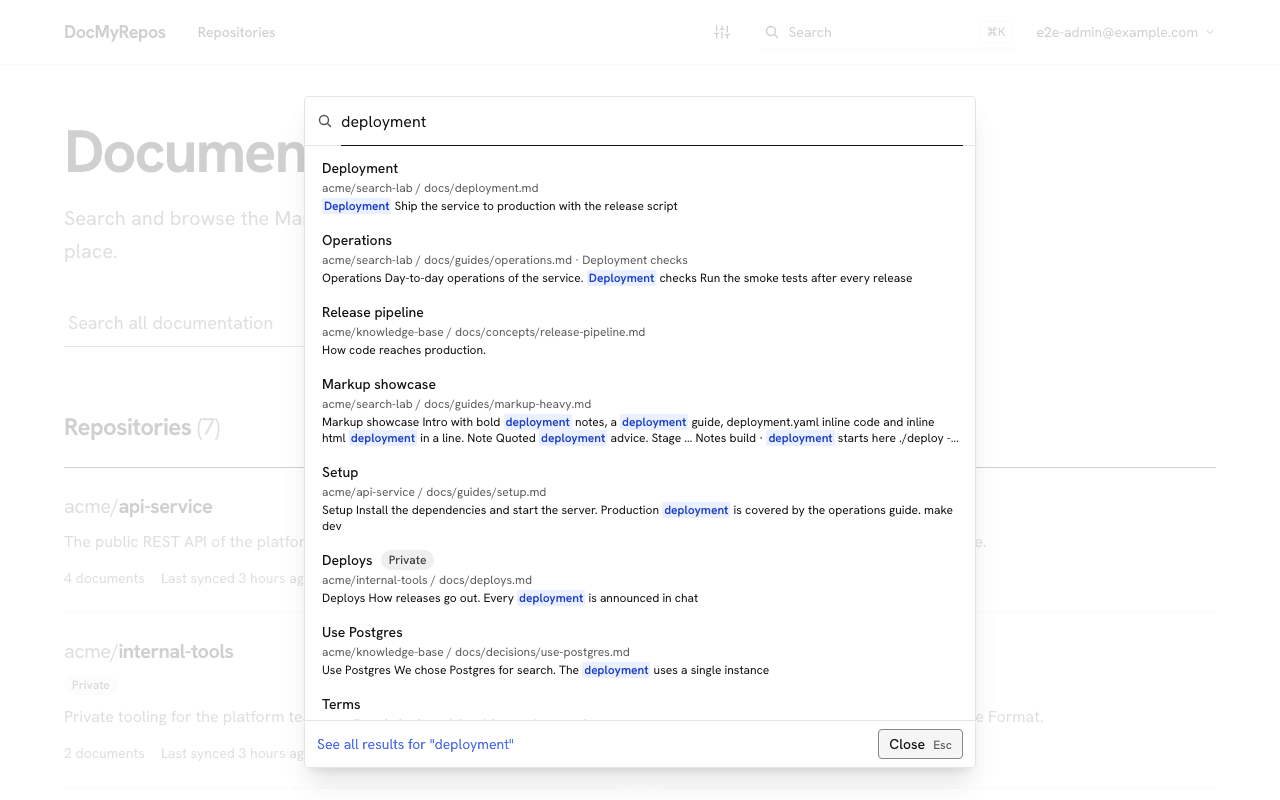
Ctrl/Cmd+K opens the palette from any page. Ask in plain language
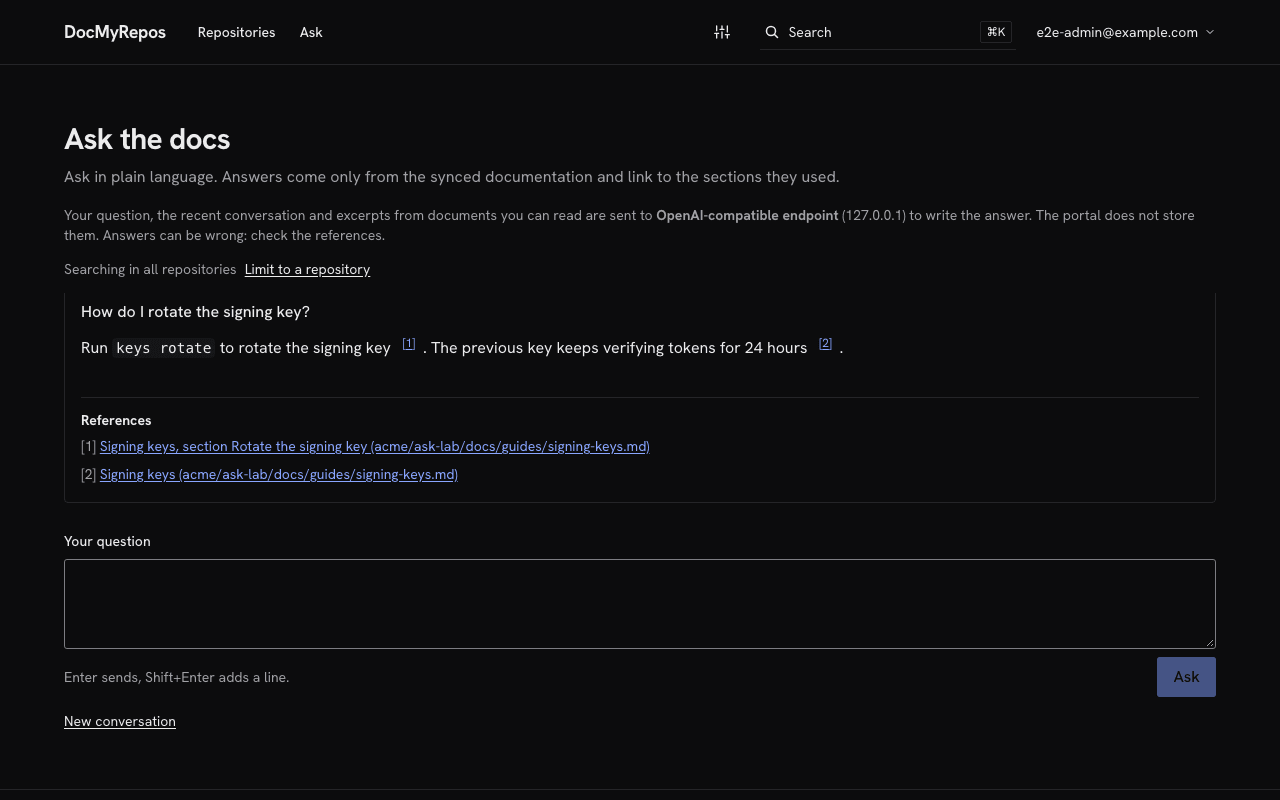
An optional assistant answers from the synced documents and cites the sections it used. It stays off until an administrator sets it up, with a model the operator provides: Anthropic, or any OpenAI-compatible endpoint, including a local one.
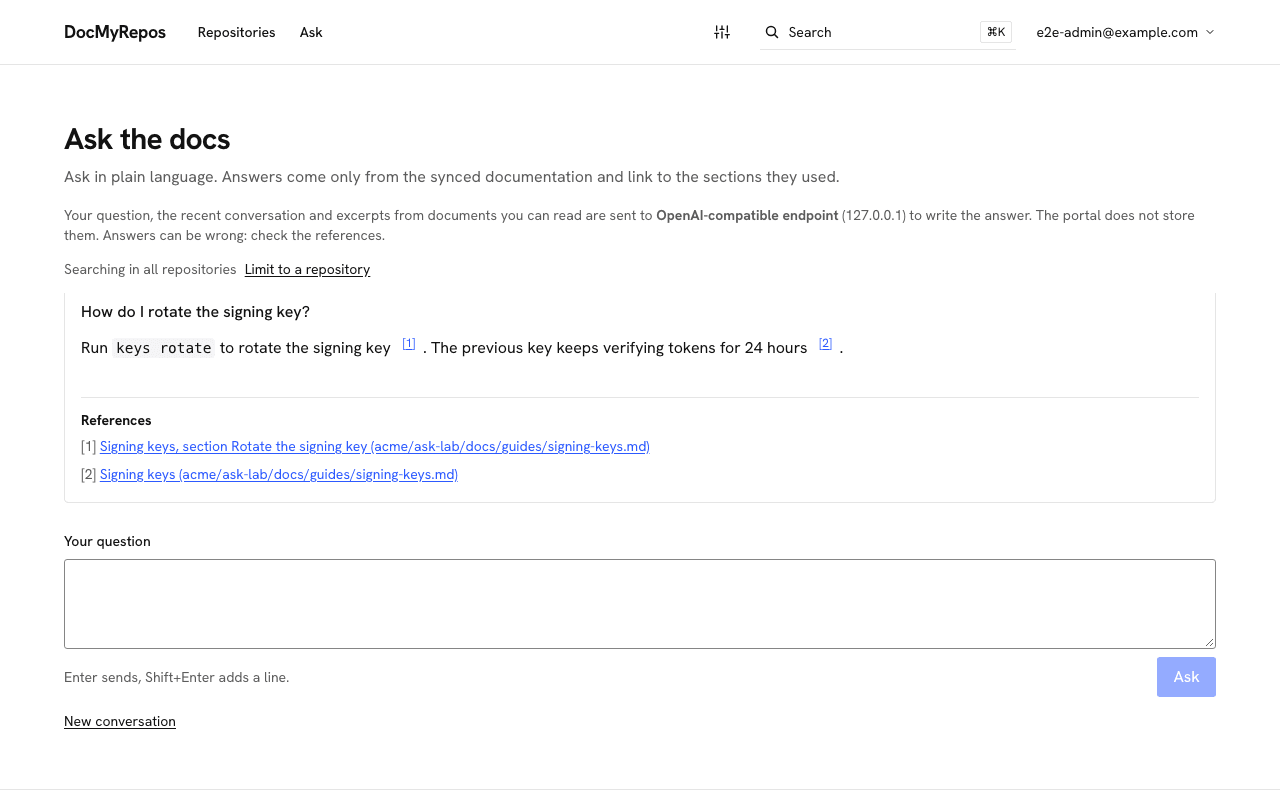
Ask the docs answers from your documents and links the sections it used. Browse a repository's space
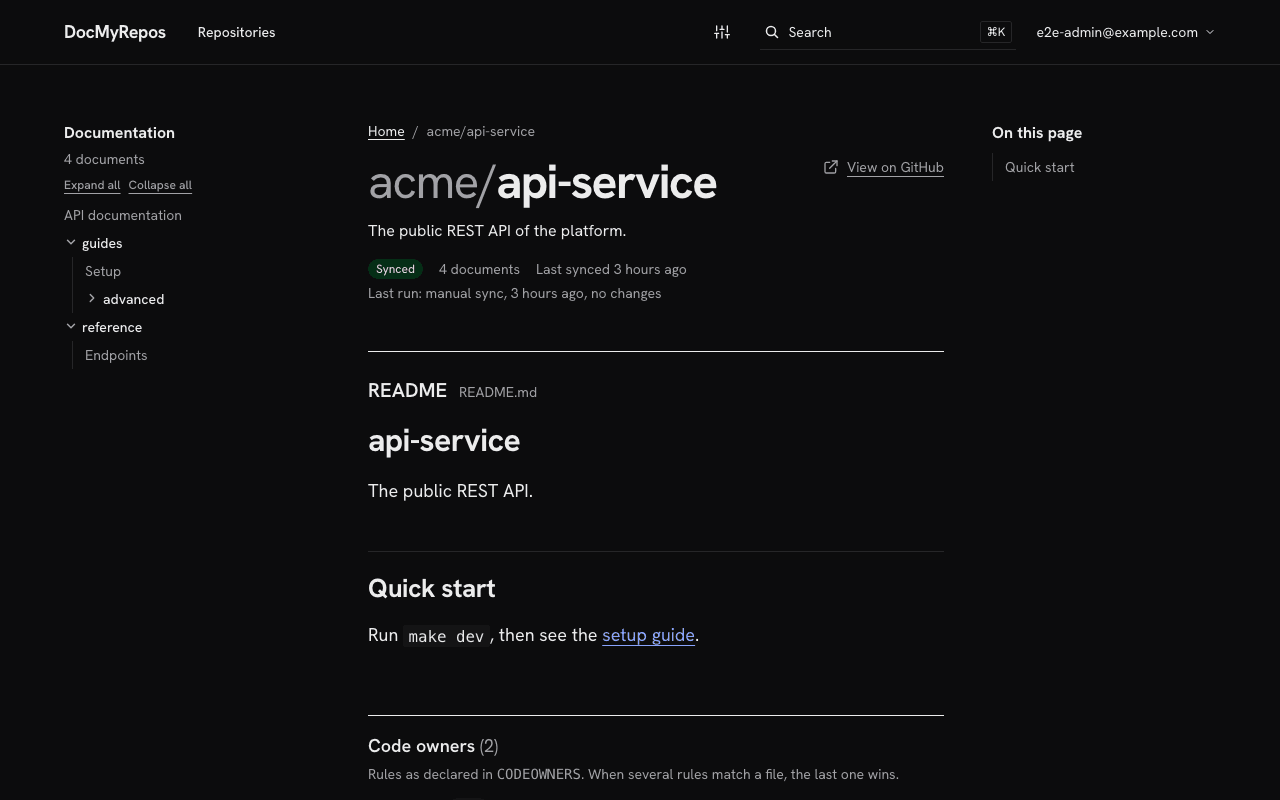
Each repository you choose gets its own space, with its main README, its code owners from CODEOWNERS and a tree of its docs folder.
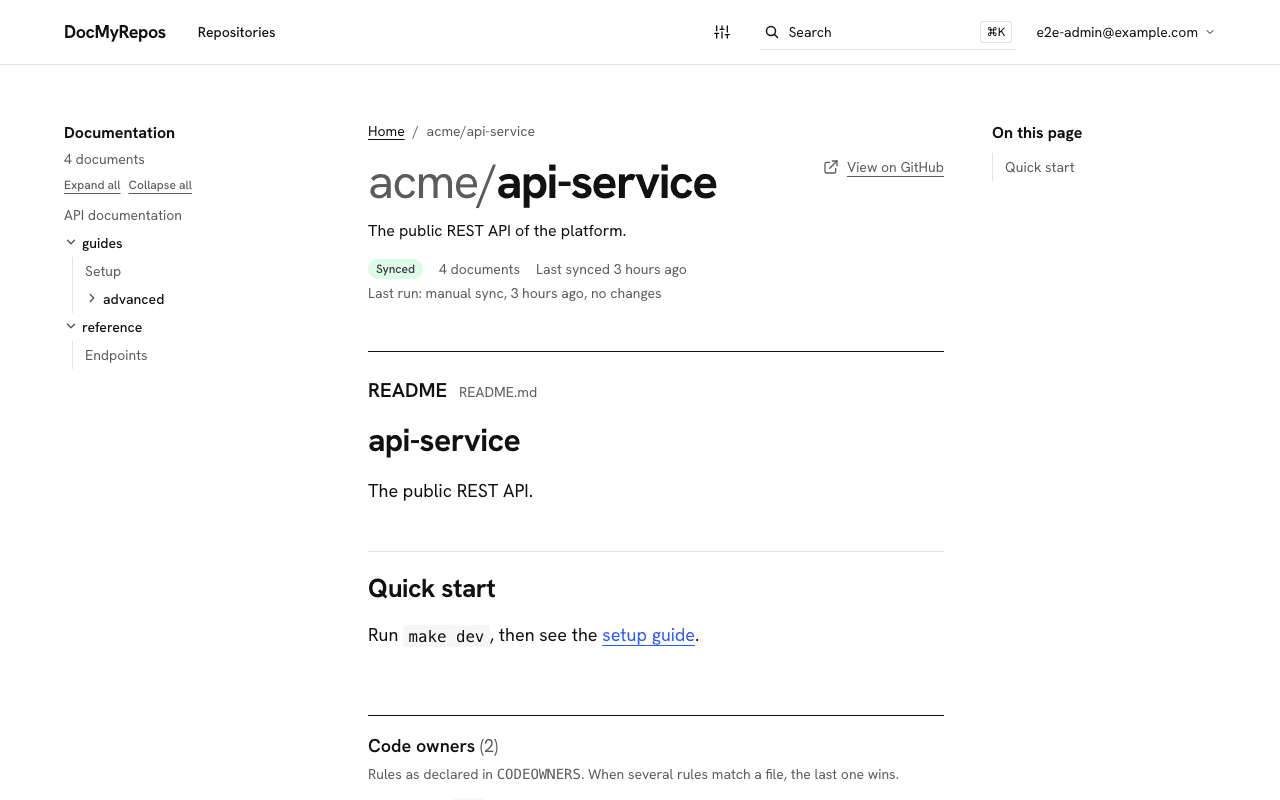
Each repository gets its README, its code owners and a tree of its docs folder.
How it works
A read-only GitHub App, four steps, nothing to migrate.
Your docs stay as Markdown in each repository. There is nothing to migrate, no separate editor and no build step.
Install the DocMyRepos GitHub App on your organization.
- Read-only permissions, never a personal access token.
Choose which repositories are visible.
- Only the repositories you pick are synced and shown.
DocMyRepos syncs their docs folders and keeps them up to date.
- Documents are treated as untrusted: output is sanitized and .mdx never runs.
- A failed sync keeps the previous content.
Everyone reads and searches in one portal.
- GitHub is never called while people browse.
- The portal sits behind a login with admin and user roles.
Read
Markdown, diagrams, API reference, OKF, comments and your own branding.
Reading
Markdown that reads well
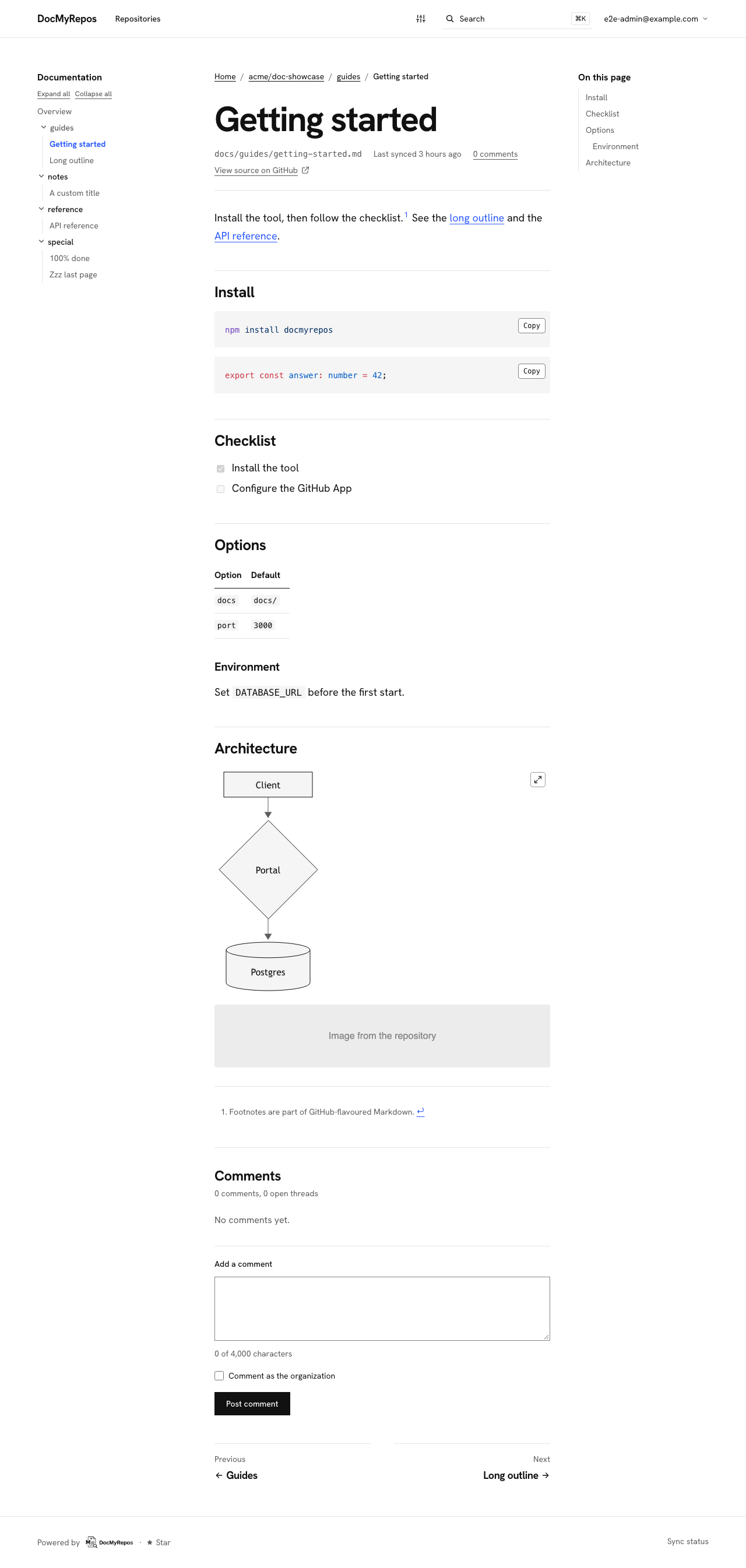
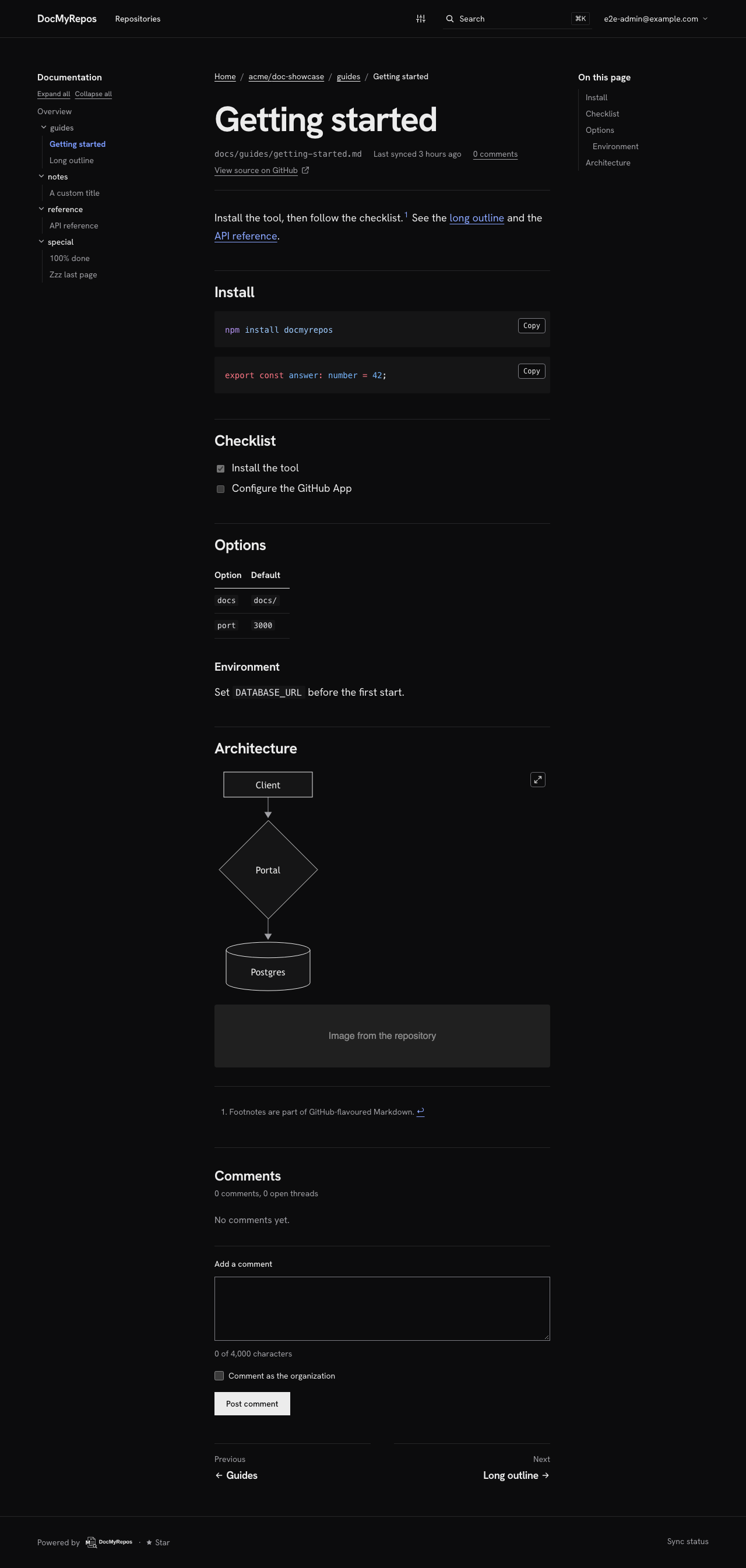
GitHub-flavored Markdown with Shiki syntax highlighting and Mermaid diagrams. Documents are treated as untrusted: output is sanitized and .mdx is never executed.
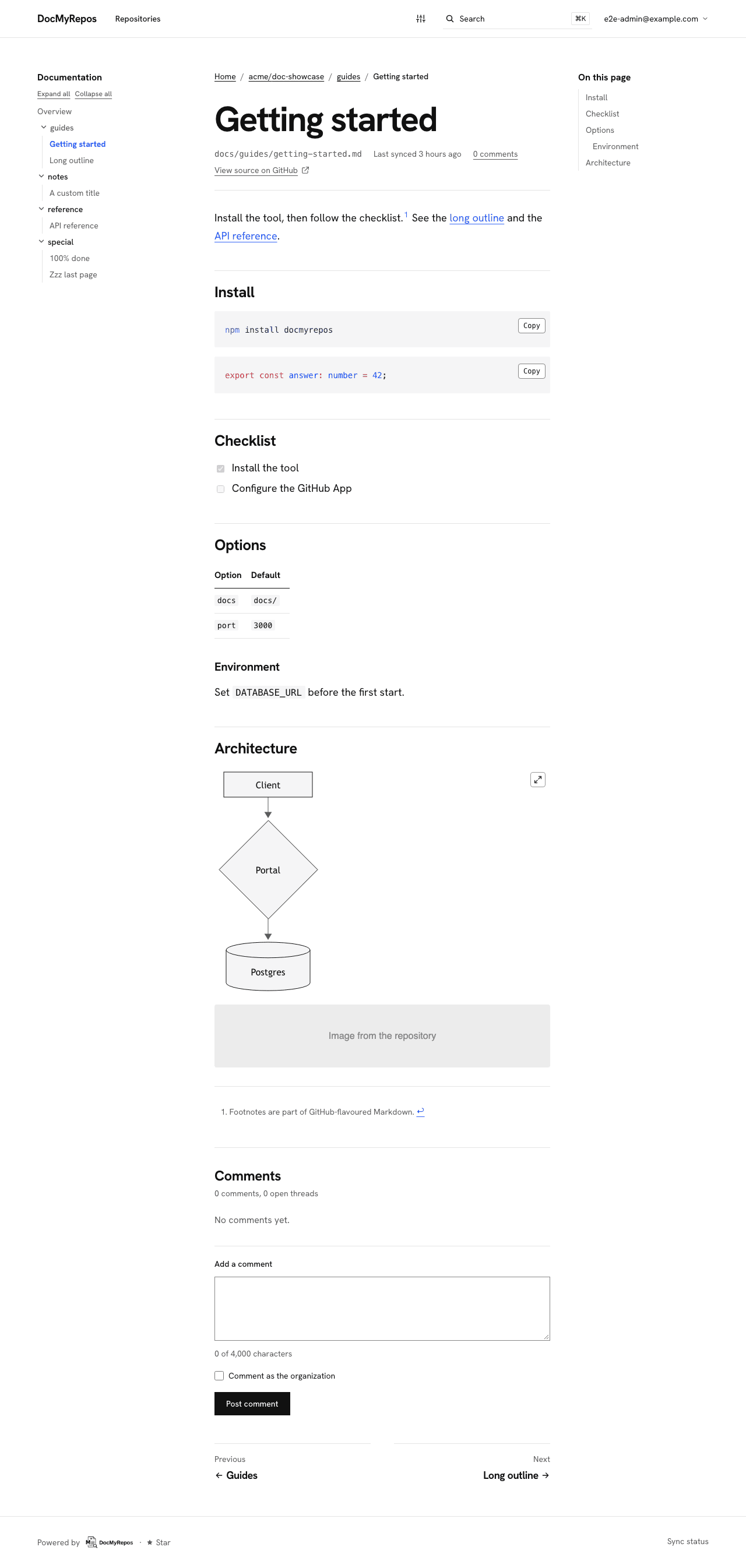
Markdown with highlighted code and Mermaid diagrams, beside an outline. Open the full screenshotOpen the full screenshot API reference from your specs
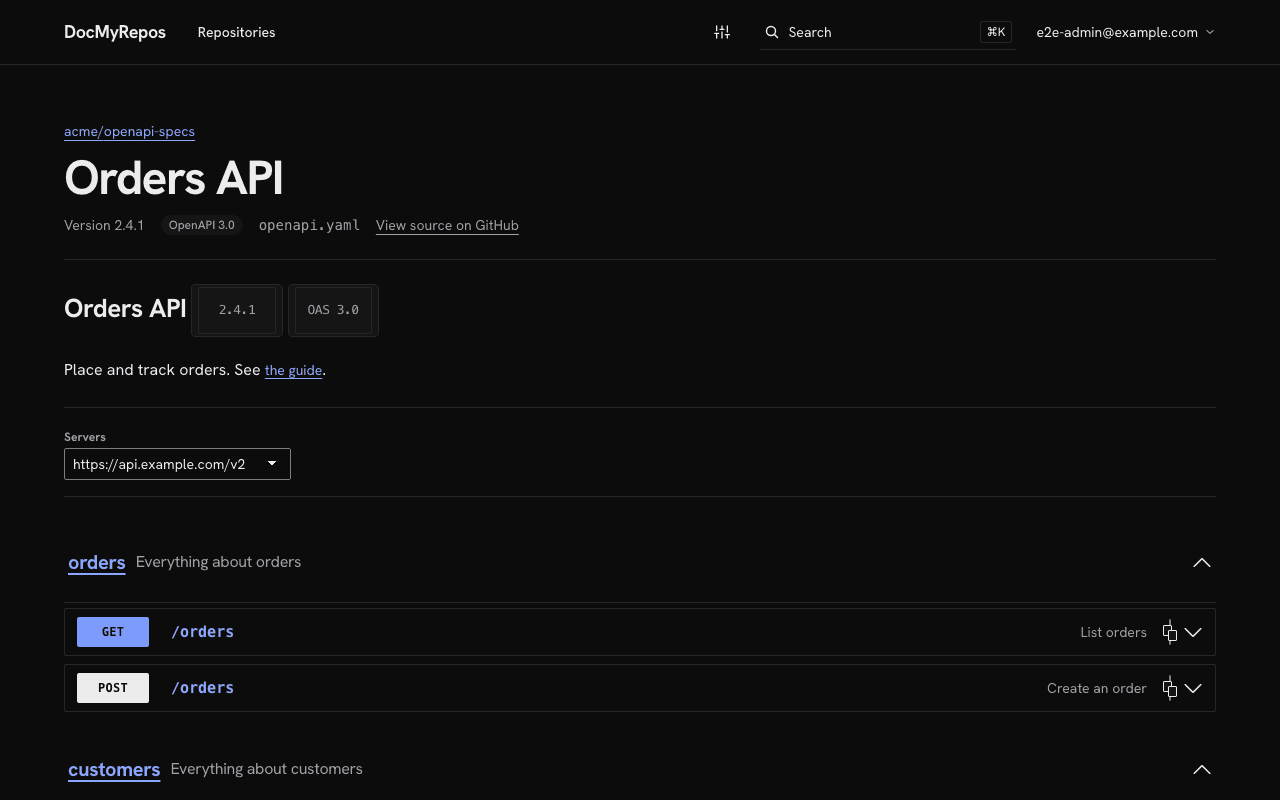
OpenAPI 3.0/3.1 and Swagger 2.0 files found in a repository are shown on a read-only reference page.
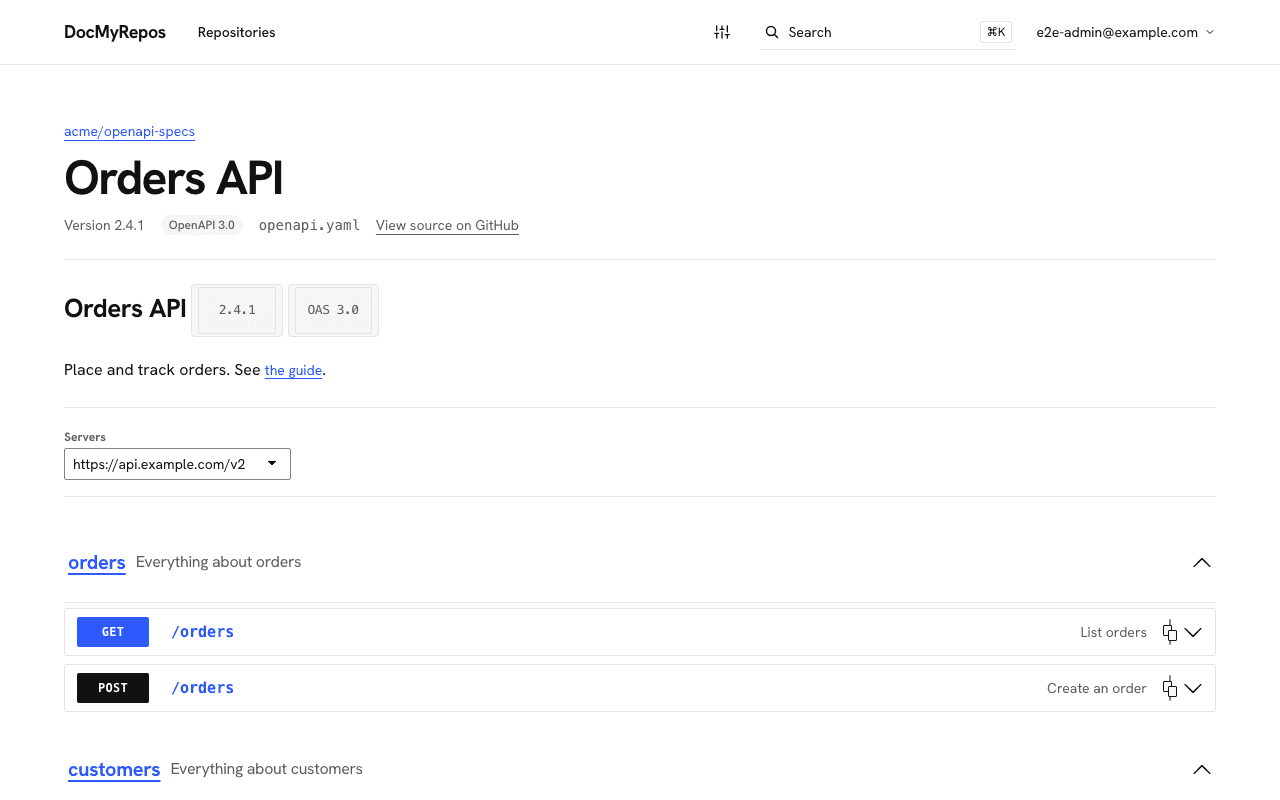
OpenAPI and Swagger files become a read-only API reference. Open Knowledge Format, when you use it
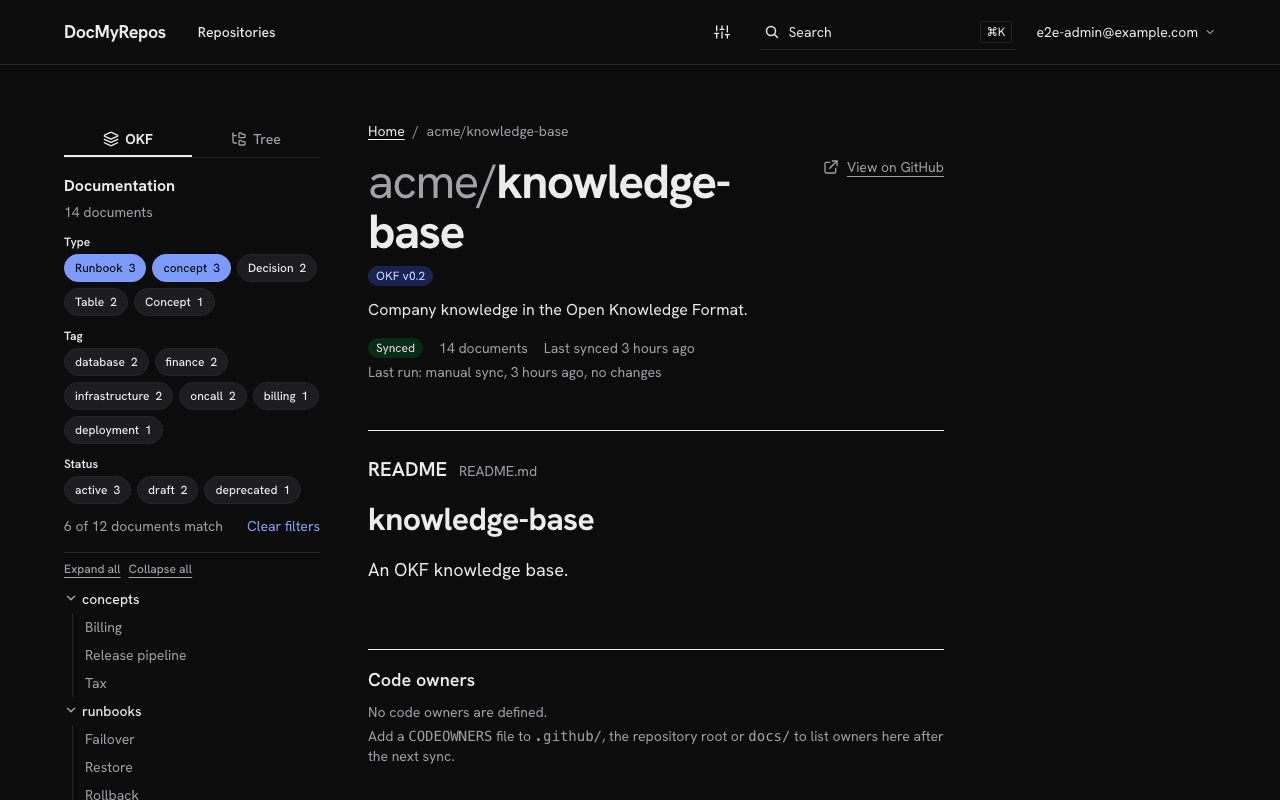
Repositories that use OKF can be filtered by concept type, tags and status, with each document's metadata on its page. Repositories without it show no OKF interface.
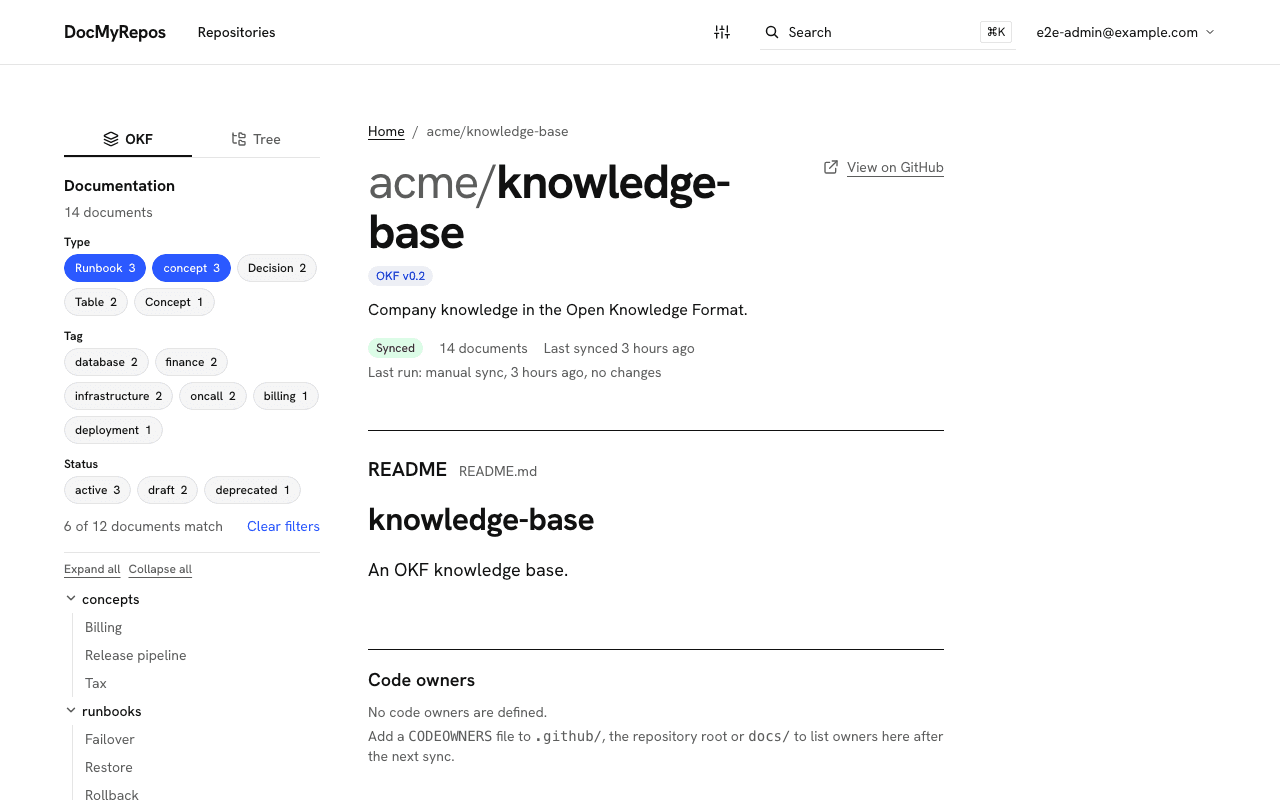
Repositories that use OKF can be filtered by type, tag and status. Comments on every document
Signed-in users discuss a document on its page, and admins can answer as the organization and moderate. Comments are stored in the portal, never written to GitHub.
Running it
Fresh without a pipeline
GitHub webhooks sync a repository again whenever its default branch changes. A scheduled full sync catches missed deliveries, syncs are incremental, and a failed sync keeps the previous content.
Your name, colours and logo
Admins set the organization name, page title, colours and logo from the portal.
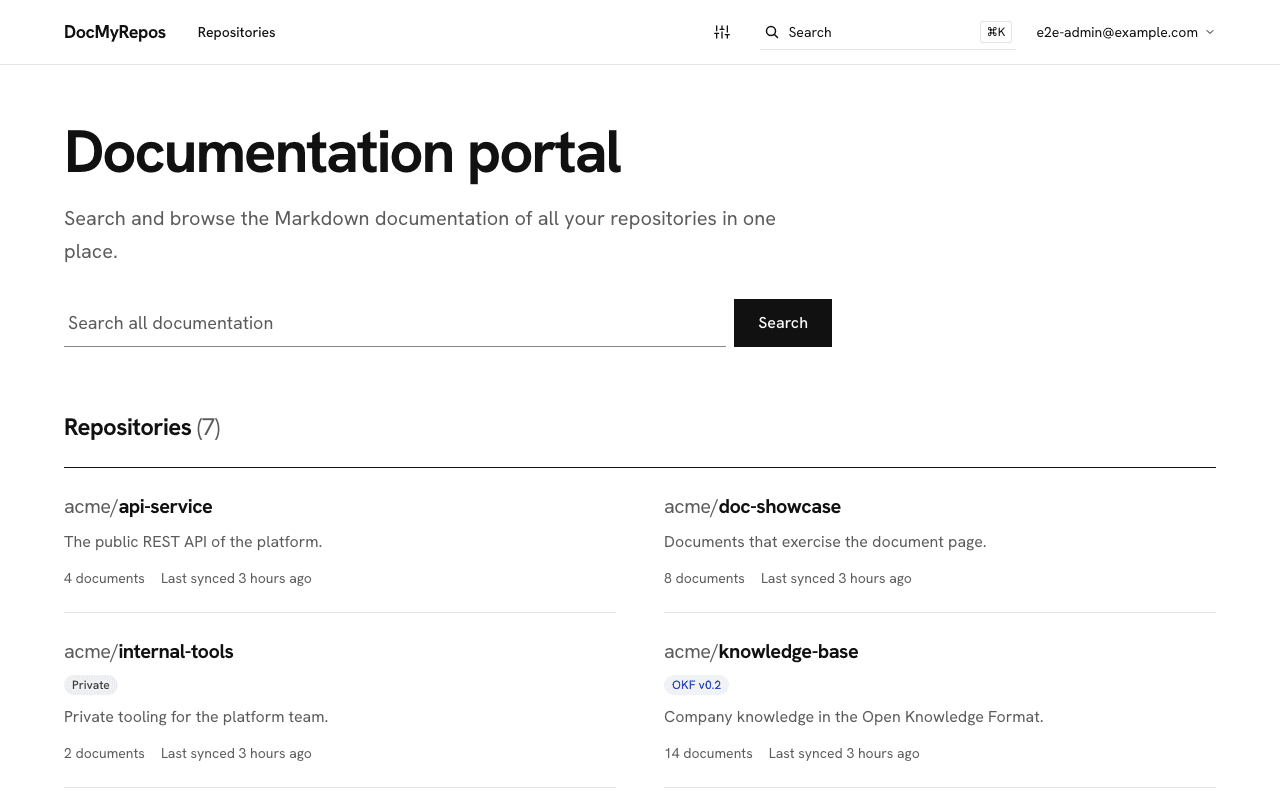
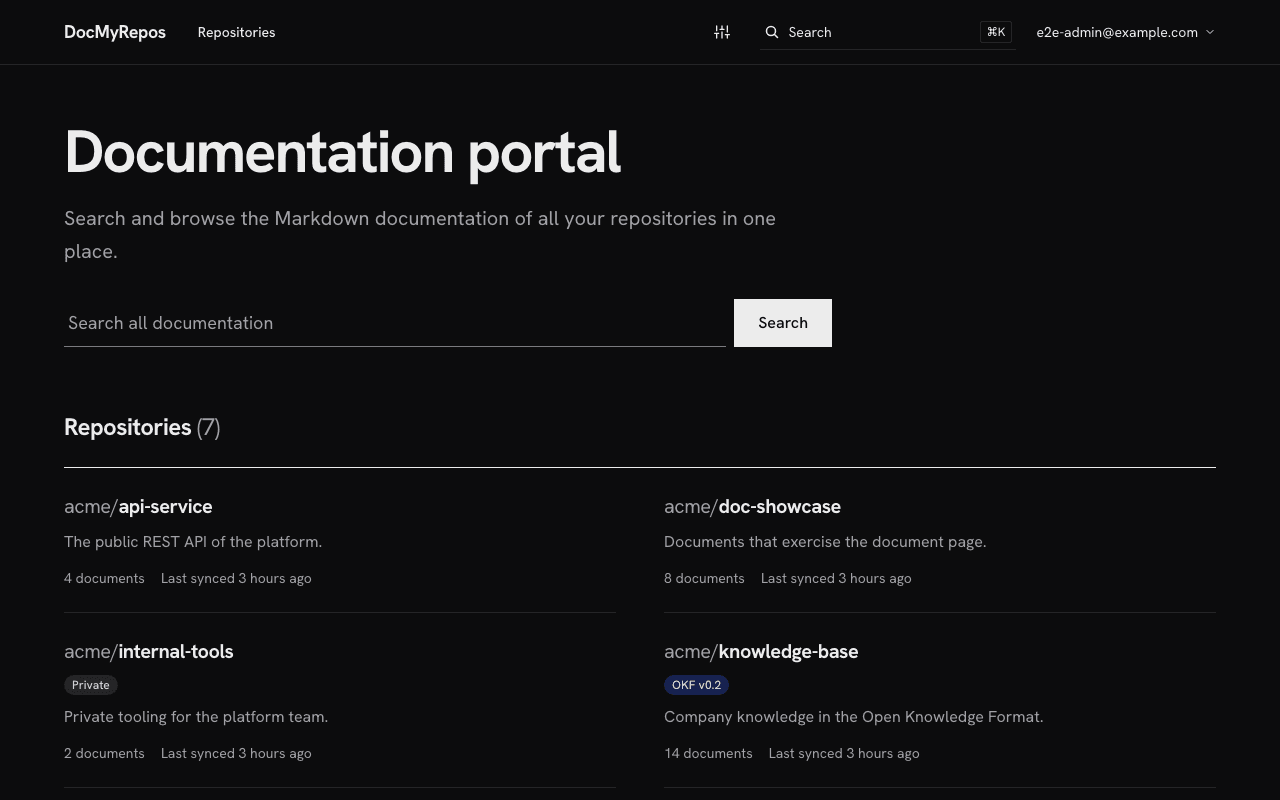
Light, dark or system
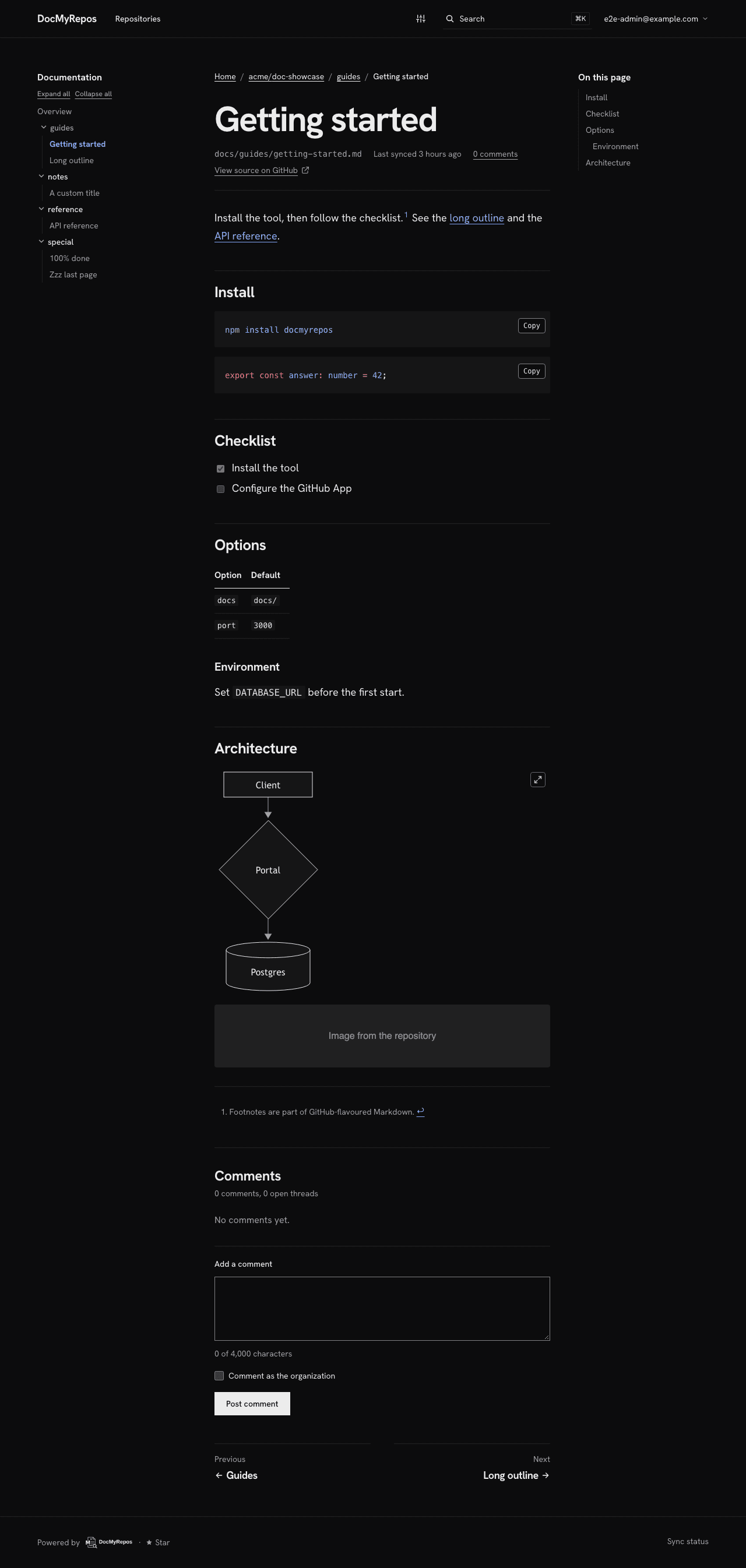
Readers choose light, dark or the system setting. Code blocks and diagrams follow it, and the page does not flash on load.
Agents
Your agents read the same docs, and can only read them.
AI agents such as Claude Code and Cursor search and read the portal's documentation through a read-only MCP endpoint, with the same visibility as the website.
Read-only by design
- Agents can search and read; they can never change documents or repositories.
- Each user creates a personal token, shown once.
- Tokens expire after 30 days, 90 days or a year, and can be revoked at any time.
- A token sees exactly what its user sees, nothing more.
claude mcp add --transport http docmyrepos \
  https://docs.example.com/api/mcp \
--header "Authorization: Bearer YOUR_TOKEN"{
"mcpServers": {
"docmyrepos": {
"url": "https://docs.example.com/api/mcp",
"headers": { "Authorization": "Bearer YOUR_TOKEN" }
}
}
}Replace the address with your portal’s and YOUR_TOKEN with your own token. Never commit a token to a repository.
Instead of…
Docusaurus, Confluence, Notion and others, side by side.
Including where DocMyRepos does not lead.
Where the docs live
- DocMyRepos
- In each repo, as Markdown
- Docusaurus
- In the site’s repo
- Confluence
- In Confluence pages
- Notion
- In Notion pages
- Backstage TechDocs
- In each repo
- GitBook
- In GitBook, Git sync optional
Moving docs already in repos
- DocMyRepos
- None
- Docusaurus
- Into one site repo
- Confluence
- Yes, imported
- Notion
- Yes, imported
- Backstage TechDocs
- Per-repo config
- GitBook
- Git Sync per space
One search across many repos
- DocMyRepos
- Yes
- Docusaurus
- No: one site
- Confluence
- Not applicable
- Notion
- Not applicable
- Backstage TechDocs
- Yes, via Backstage Search
- GitBook
- Within one site
Build pipeline to publish
- DocMyRepos
- None
- Docusaurus
- Yes
- Confluence
- No
- Notion
- No
- Backstage TechDocs
- Yes, CI recommended
- GitBook
- No
Editing in the browser
- DocMyRepos
- No: authors edit in the repo
- Docusaurus
- Via Git provider
- Confluence
- Yes
- Notion
- Yes
- Backstage TechDocs
- Via Git provider
- GitBook
- Yes
Open source, self-hostable
- DocMyRepos
- Yes, MIT
- Docusaurus
- Yes, MIT
- Confluence
- No, proprietary
- Notion
- No, cloud service
- Backstage TechDocs
- Yes, Apache-2.0
- GitBook
- Renderer only, GPL-3.0
AI agents over MCP
- DocMyRepos
- Yes, read-only
- Docusaurus
- Not built in
- Confluence
- Yes, official server
- Notion
- Yes, official server
- Backstage TechDocs
- Metadata only
- GitBook
- Yes, official server
| Dimension | DocMyRepos | Docusaurus | Confluence | Notion | Backstage TechDocs | GitBook |
|---|---|---|---|---|---|---|
| Where the docs live | In each repo, as Markdown | In the site’s repo | In Confluence pages | In Notion pages | In each repo | In GitBook, Git sync optional |
| Moving docs already in repos | None | Into one site repo | Yes, imported | Yes, imported | Per-repo config | Git Sync per space |
| One search across many repos | Yes | No: one site | Not applicable | Not applicable | Yes, via Backstage Search | Within one site |
| Build pipeline to publish | None | Yes | No | No | Yes, CI recommended | No |
| Editing in the browser | No: authors edit in the repo | Via Git provider | Yes | Yes | Via Git provider | Yes |
| Open source, self-hostable | Yes, MIT | Yes, MIT | No, proprietary | No, cloud service | Yes, Apache-2.0 | Renderer only, GPL-3.0 |
| AI agents over MCP | Yes, read-only | Not built in | Yes, official server | Yes, official server | Metadata only | Yes, official server |
Sources and notes
- Docusaurus, where the docs live: In the site’s repo. Docs are Markdown or MDX files in a folder of the Docusaurus site. Source (opens in a new tab)
- Docusaurus, moving docs already in repos: Into one site repo. Each docs set points to a local path; docs spread across many repositories are gathered into the site first. Source (opens in a new tab)
- Docusaurus, one search across many repos: No: one site. Search covers the one built site (Algolia DocSearch officially; local search plugins are community-maintained). Source (opens in a new tab)
- Docusaurus, build pipeline to publish: Yes. A build generates static files before hosting. Source (opens in a new tab)
- Docusaurus, editing in the browser: Via Git provider. Optional “Edit this page” links open the source file on the Git host. Source (opens in a new tab)
- Docusaurus, open source, self-hostable: Yes, MIT. Source (opens in a new tab)
- Docusaurus, ai agents over mcp: Not built in. No MCP feature in the official docs; community plugins exist. Source (opens in a new tab)
- Confluence, where the docs live: In Confluence pages. Source (opens in a new tab)
- Confluence, moving docs already in repos: Yes, imported. Native import covers Word, Google Docs and OneDrive; Markdown needs Marketplace apps or the APIs. Source (opens in a new tab)
- Confluence, one search across many repos: Not applicable. Search covers Confluence content; docs do not live in repositories. Source (opens in a new tab)
- Confluence, build pipeline to publish: No. Source (opens in a new tab)
- Confluence, editing in the browser: Yes. Source (opens in a new tab)
- Confluence, open source, self-hostable: No, proprietary. Self-managed Data Center needs a commercial license. Source (opens in a new tab)
- Confluence, ai agents over mcp: Yes, official server. The Atlassian Rovo MCP Server covers Atlassian Cloud. Source (opens in a new tab)
- Notion, where the docs live: In Notion pages. Source (opens in a new tab)
- Notion, moving docs already in repos: Yes, imported. Markdown imports as Notion pages once, with no ongoing sync to the source files. Source (opens in a new tab)
- Notion, one search across many repos: Not applicable. Search covers the Notion workspace; a GitHub connector feeds Notion AI answers on some plans. Source (opens in a new tab)
- Notion, build pipeline to publish: No. Source (opens in a new tab)
- Notion, editing in the browser: Yes. Source (opens in a new tab)
- Notion, open source, self-hostable: No, cloud service. Notion’s official pages describe cloud hosting only. Source (opens in a new tab)
- Notion, ai agents over mcp: Yes, official server. Notion MCP is a remote server hosted by Notion. Source (opens in a new tab)
- Backstage TechDocs, where the docs live: In each repo. Source (opens in a new tab)
- Backstage TechDocs, moving docs already in repos: Per-repo config. Each repository adds an mkdocs.yml, a docs/index.md and a catalog annotation. Source (opens in a new tab)
- Backstage TechDocs, one search across many repos: Yes, via Backstage Search. The TechDocs search module is installed in the Backstage backend. Source (opens in a new tab)
- Backstage TechDocs, build pipeline to publish: Yes, CI recommended. Source (opens in a new tab)
- Backstage TechDocs, editing in the browser: Via Git provider. Source (opens in a new tab)
- Backstage TechDocs, open source, self-hostable: Yes, Apache-2.0. Backstage is a framework you deploy yourself. Source (opens in a new tab)
- Backstage TechDocs, ai agents over mcp: Metadata only. MCP actions expose TechDocs metadata; no core action returns document content yet. Source (opens in a new tab)
- GitBook, where the docs live: In GitBook, Git sync optional. Source (opens in a new tab)
- GitBook, moving docs already in repos: Git Sync per space. Content from several repositories needs a Git Sync for each space. Source (opens in a new tab)
- GitBook, one search across many repos: Within one site. Search covers the spaces added as sections of one docs site. Source (opens in a new tab)
- GitBook, build pipeline to publish: No. Source (opens in a new tab)
- GitBook, editing in the browser: Yes. Source (opens in a new tab)
- GitBook, open source, self-hostable: Renderer only, GPL-3.0. The editor and platform are proprietary and hosted. Source (opens in a new tab)
- GitBook, ai agents over mcp: Yes, official server. Published sites get a read-only MCP endpoint. Source (opens in a new tab)
Last reviewed October 27, 2026, from each tool’s public documentation. Product names are trademarks of their owners; DocMyRepos is not affiliated with them.
Start
Free to start hosted, or self-hosted under MIT.
The same product either way.
Hosted
We run it for you. Hosted DocMyRepos opens soon: leave your email and we will tell you when it does.
Self-hosted
Open source under the MIT license. It is one Next.js app plus Postgres, run with Docker. Create the GitHub App first, then run the install script.
Installcurl -fsSL \ https://raw.githubusercontent.com/Dash-AI-Tools/doc-my-repos/v0.1.0/install.sh \ | sh
Questions
Does DocMyRepos change our repositories?
No. It reads them through a GitHub App installed with read-only permissions and never writes to them. Comments people leave in the portal stay in the portal, not in GitHub.
Which docs are synced?
The docs folder of each repository you choose (it looks for docs, doc or documentation), plus the repository’s README and its code owners from CODEOWNERS. OpenAPI and Swagger files found in the repository become its API reference.
Who can see the docs?
Only people signed in to your portal. Administrators create the users and choose which repositories are visible. Search, Ask the docs and agents show exactly what that user can see.
Do we need Open Knowledge Format?
No. Plain Markdown works as it is. Repositories that already use OKF also get filters by type, tag and status and a metadata card on each document; the others show no OKF interface at all.
What can AI agents do with our docs?
They can search and read them through a read-only MCP endpoint. Each user creates a personal token, sees it once and can revoke it. A token sees what its user sees and cannot change anything.
How do hosted and self-hosted differ?
It is the same product. Self-hosted, you run it on your own servers with Docker and Postgres under the MIT license, with no limits. Hosted, we run it for you and it opens soon.
The docs of every repository, one search away.
Hosted DocMyRepos opens soon.
Made byDash AI
DocMyRepos is one of the small open-source tools Dash AI builds for people who build with AI.